
Wi-Fi cameras — video surveillance without network cabling
A wireless security camera only needs power and a good Wi-Fi signal. We'll help you decide what fits your site — Wi-Fi or PoE.
- No network cable
- Viewing from your phone
- Quick installation
A Wi-Fi camera makes sense where running a network cable is difficult — a private home’s yard, a small shop or a rented office. The camera only needs power and a good Wi-Fi signal at the mounting point; you can use our Wi-Fi planner to get a first estimate of coverage.
We weigh Wi-Fi against PoE (Power over Ethernet) after seeing the site: where cabling is possible, PoE is often more reliable; where it isn’t, a Wi-Fi camera is the answer. Either way, we configure cameras securely — on a separate network (VLAN) and never with the default password.
Where cabling is difficult
Private home
Yard, gate and entrance — without running network cable around the house.
Small shop
A camera for the till or the entrance — no renovation or drilling through walls.
Rented office
Where cabling inside the walls isn't allowed or isn't worth it.
Temporary site
Events, renovations, seasonal premises — easy to set up and take down.
What to expect from a Wi-Fi camera
No network cable
The camera connects over Wi-Fi — you only need power at the mounting point.
5MP & 8MP · 4K Ultra HD
Depending on the model — high resolution that shows faces and details clearly.
Full-Color Night Vision
Depending on the model — color images at night too.
Smart Motion Detection
Detection of people and vehicles with phone notifications — depending on the model.
Rotating (PTZ) models
Some Wi-Fi cameras rotate and zoom — one camera for a wider area.
IP66 / IP67
For outdoor mounting — waterproof and frost-resistant housing, depending on the model.
Which camera fits your site
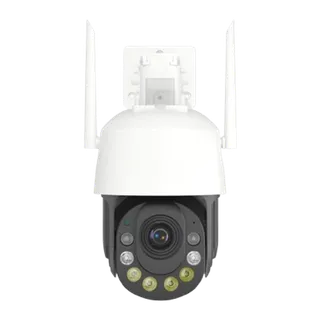
Wi-Fi camera
Wireless connection — no network cable, only a power supply needed.
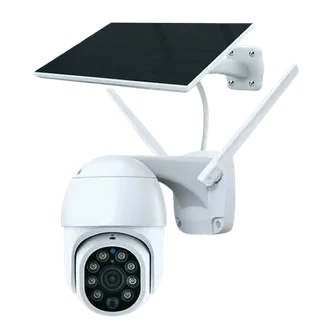
Solar + 4G
If there's no power on site either — solar energy and mobile internet.
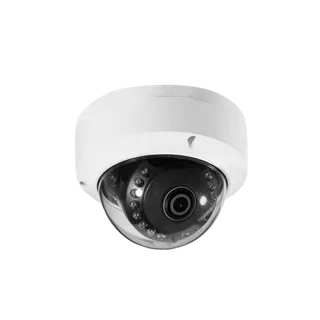
Dome (PoE)
If cabling is possible — the most stable option indoors.
Why choose us?
How we work
- 1Free consultationDefining the property, the number of cameras and mounting points.
- 2Wi-Fi checkAssessing signal quality; adding an access point if needed.
- 3InstallationMounting the cameras and power.
- 4ConfigurationSetting up recording, notifications and phone viewing.
Brands and partners



Frequently asked questions
Wi-Fi or PoE — which is better?
If network cabling is possible, a PoE camera is usually more stable — it gets power and data over one cable and doesn't depend on Wi-Fi quality. A Wi-Fi camera makes sense where cabling is difficult, expensive or not allowed.
Does a Wi-Fi camera need any cable at all?
No network cable — but it does need power. There has to be a power outlet at the mounting point, or a power cable run to it.
How many Wi-Fi cameras can one network handle?
It depends on Wi-Fi quality, internet speed and camera resolution. Several video streams put a significant load on the network — after visiting the site we'll tell you whether a separate access point is needed.
Where are recordings stored?
Depending on the model — on a recorder (NVR), the camera's SD card or in the cloud. We choose the option based on your requirements.
Are Wi-Fi cameras secure?
They need proper configuration — changing the default password, updating the firmware and, ideally, a separate network for cameras (VLAN). We set this up during installation.
Contact us
Information
Leave us a message or contact us using the details below.
- Tbilisi, Georgia
- Mon–Fri, 10:00–18:00 (GMT+4)
- [email protected]
- +995 577 07 70 02
© 2026 ICOMP LLC. All rights reserved.